Module function
A bill of quantities that builds itself.
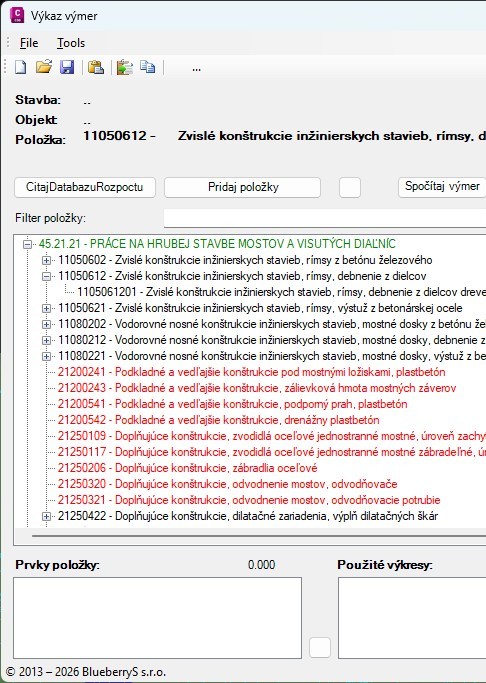
EasyBoQ links the 3D bridge model with the project documentation at the level of quantity take-offs. Every item is assigned to a layer in the AutoCAD model — the quantities are calculated automatically from the geometry you entered once. No duplicate measuring, no errors from re-typing.
- Quantities are pulled straight from the 3D model — columns of lengths, areas and volumes are always up to date
- Import of price lists and bills of quantities in XLS format
- Assignment of items to model layers — one item can cover several layers
- Entry of deductions, multipliers and correction coefficients for each item
- Efficient searching and filtering of items in large price lists
- Assignment check — every entity in the model is traceable to a bill item
EasyBoQ format
Share the model even with those who don't have Easy Bridge®.
EasyBoQ lets you export the 3D model together with the bill into a special XLS file. A recipient without an Easy Bridge® licence can open the model in a viewer and trace the entities assigned to each bill item — ideal for checking, handover to the client or a subcontractor.
- Export of the 3D model with a structured bill into the EasyBoQ XLS format
- Every bill item refers to specific entities in the model
- The recipient sees what lies behind a number — spatially, not just in a table
- Suitable for handover to the client, a supervising authority or a subcontractor
Work items
Report work, not just materials.
EasyBoQ isn't limited to physical elements. Work items — grouting, drilling, prestressing works — can be reported by modelling them directly in the AutoCAD environment. Each work operation gets its own layer and bill item, and the quantities follow from the model geometry.
- Reporting of works (grouting, drilling, tensioning) by modelling in AutoCAD
- Work layer = bill item = automatic quantity
- Combination of material and work items in a single bill