Bridge design system for AutoCAD®

Your time has
value.
Work with a tool
that knows it.

Easy Bridge® isn't just a modelling tool — it's a complete design system. The 3D model comes first, not last. The entire documentation, quantity take-offs and BIM outputs are generated from it automatically.

20+
Years of experience in 3D bridge design
3D
Model as the foundation, not an add-on
BIM
Ready for BIM processes
SK/CZ
Support in Slovak and Czech

In 3 minutes you'll understand
why designers love it.

Video language:

Ordinary CAD tools
aren't built for bridges.

Easy Bridge® is a design system built specifically for bridges — with 20 years of hands-on experience right in the field. Not an adapted tool, but a system built on real-world workflows.

🎯
Enter it once — the system remembers everythingGeometry, quantity take-offs, drawings and BIM outputs all arise from a single consistent 3D model. No rewriting, no errors from duplicate data entry.
⚡
Extreme efficiency on every projectA refined workflow cuts design time to a fraction. More projects, higher quality, less stress — that's the everyday reality for Easy Bridge® users.
🏗
The 3D model as the first step, not the lastWith Easy Bridge® the 3D model is the foundation of the project — not an output at the end. The entire documentation, all setting-out elements and BIM arise from the model automatically.
🔍
Catch errors early — not on siteA consistent 3D model reveals clashes and inconsistencies while you're still designing. Not during review or construction, where they cost the most.
📈
An investment that pays back within a yearWith proper deployment you save dozens of hours on every project. Most customers break even within 6–12 months. And that's before counting BIM.

A team with 20 years of experience in active 3D bridge design. Not modelling — design.

Easy Bridge® was created by people who spent years designing bridges in 3D before it became the standard. Every tool in the system reflects a real workflow — refined over hundreds of projects.

  • 3D model as the first step, not the last
  • Entire documentation from a single source
  • All setting-out elements straight from the 3D model
  • Take-offs, drawings, BIM — automatically
  • Return on investment within 6–12 months
Workflow

What does a proper 3D workflow look like in bridge design?

Why the model takes shape during design — not after it. When design can be a relief. And why the designer and the structural engineer need one another.

Read the full philosophy →

Precise geometry. Clean AutoCAD entities.
No compromises.

Easy Bridge® was created for one need: to give bridge engineers mathematically precise geometry exactly as design really demands it — while keeping full compatibility with the AutoCAD® environment. What you see in the drawing are always native AutoCAD entities.

01

Geometry without approximations

Superelevation, transition curves, spatial arcs, skew sections — all in full mathematical precision. No shape concessions for the software's sake, no simplifications that come back to bite you on site.

02

Fully AutoCAD-native outputs

Everything Easy Bridge® generates are native AutoCAD entities — line, polyline, 3DFACE, solid, region. Supplementary project data via xrecord, xdata. No proprietary objects.

03

The drawing belongs to you

Even without Easy Bridge®, your drawing opens fully and reads in any AutoCAD. No vendor lock-in. No dependency you didn't choose for yourself.

Although it carries "Bridge®" in its name, Easy Bridge® is a design system for the entire spectrum of linear structures — bridges, retaining walls, noise barriers, cuttings, anchored slopes and landslide stabilisation.

Talk to your AutoCAD.
Design was never this straightforward.

Easy Bridge® has an AI assistant built right into AutoCAD. You tell it what you need — and it does it in the drawing. Not advice, not instructions. It does it.

We take the routine off your desk. Redrawing, retyping numbers, dimensioning, schedules, checking that the same value matches in all five places. It is mechanical work that eats most of the day — and it is not what you are paid for.

An engineer's value is not drawing speed. It is experience, judgement, and the ability to solve a problem nobody has solved in quite this form before. That is the rare part. Not how fast you operate the software.

AI does not design. The engineer designs — the AI only carries out their will.

The decision, the design and the responsibility stay with the human. What is left for the machine is the mechanical work. In that order, and no other.

Easy Bridge® runs on AutoCAD® and ZWCAD 2026.

The same product, the same logic, the same project in a single file — choosing your CAD isn't a choice for life. On ZWCAD we also store BIM data directly in native DWG structures, without Civil 3D and without any dependency on Autodesk Architecture.

Easy Bridge® on ZWCAD →

9 specialised modules

Each module solves a specific area of bridge design — from geometry to a complete structural object ready for BIM.

Geometry of linear structures

Define even the most complex linear structures directly in AutoCAD®. Horizontal and vertical alignment and superelevation as the model's input data.

Substructure

Abutments and piers alike — generating intermediate supports with calculation of foundation depth and pier-head height.

Prestressing

Comprehensive prestressing input with generation of drawings, take-offs, setting-out and 3D geometry.

Precast beams

Placing precast beams beneath the deck, including material take-offs and layout drawings.

+ Terrain & Stratigraphy · Drainage · Bearings · Accessories · Surrounding objects · Structural object

View all modules →

Create sections
through the whole model.
Instantly.

A custom interactive 3D viewer integrated directly in Easy Bridge®. You move a cutting plane through the entire structure — transverse and longitudinally developed sections in real time. You see the section in 3D and in a 2D window at once.

  • Interactive sectioning of all objects at once
  • Transverse and longitudinally developed sections
  • 3D view + 2D section in a separate window
  • Instant visual check of the whole project
Easy Bridge® 3D viewer
[ Screenshot — 3D viewer with a section ]

Built for professionals

🌉

Bridge designers

A complete 3D model of the superstructure, abutments, piles and details directly in AutoCAD.

🏗

Infrastructure design offices

Consistent drawings and take-offs across all projects — the same standard regardless of the individual engineer.

📐

Structural engineers

Precise geometry without approximations. Enter it once, Easy Bridge® remembers everything.

📋

BIM coordinators

Graphic outputs that open even without a licence. Readiness for BIM processes in both Slovak and Czech environments.

EasyCAD —
AutoCAD® to the max.

A standalone add-on package for AutoCAD® with a wealth of handy functions: drawing scale setup, text and dimension styles, inserting title blocks, working with drawings without needing to open them.

Download Easy CAD

Darwin runs Easy Bridge® too

In AutoCAD® you have an AI assistant with its own interface — tell it a task and it does it right in the drawing. And since the „big“ Darwin also runs on your phone, you can assign work remotely too: it starts AutoCAD, produces a quantity take-off or an edit in the drawing and sends you the result — even by email.

  • Assign a task from anywhere — from your PC or phone, by voice, by text, even via Telegram. Darwin can remotely start AutoCAD and control EasyCAD and Easy Bridge. AutoCAD is never a server — no open ports.
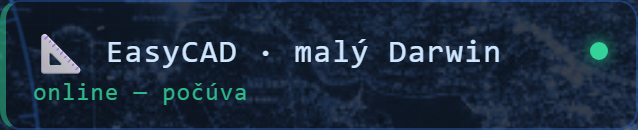
  • You always know where it is — the presence card shows whether Darwin is listening, working or offline. AutoCAD switched off? The task waits in the queue and is picked up the next time it starts.
  • One shared memory — Darwin indexes your documents (PDF, Word, Excel, scans, standards) and Easy Bridge queries them — with a reference to the exact file and page.
How it works →

Requires Darwin (Standard/Pro) on the same PC. Everything runs locally — nothing in the cloud. Pricing and licences →

Darwin — AI assistant Presence card: EasyCAD · small Darwin — online

Try Easy Bridge® for free.
No strings attached.

Download the demo

Have a question?
We're here for you.

Technical support, licences, training — get in touch.

📞+421 907 388 260
🕐Mon – Fri, 08:00 – 16:00
🌐easybridge.sk

Write to us

Pick a topic and send a message

The form guides you based on what you're contacting us about — we'll reply within one business day.

  • Founding Clients 2026
  • Licence enquiry
  • Technical support
  • Training
  • Trial version / download
  • Other
Go to the form →
Limited offer
Founding Clients 2026 →